Your website in English and French: ask ChatGPT to add a language
One AgentBuild site can now be in up to three languages. Ask ChatGPT or Claude to add one: it writes every page, and visitors switch with a globe.
A café in Montréal writes its menu in French and English. A cleaning business in Houston books half its jobs in Spanish. An accountant in Brussels answers clients in French and Dutch. An AgentBuild site used to be in one language, so each of them had to pick one, or run two sites.
Now one site can be in up to three. You ask ChatGPT to add a language, it writes every page in that language, you look at the preview, and you publish. Claude works the same way.
What visitors see
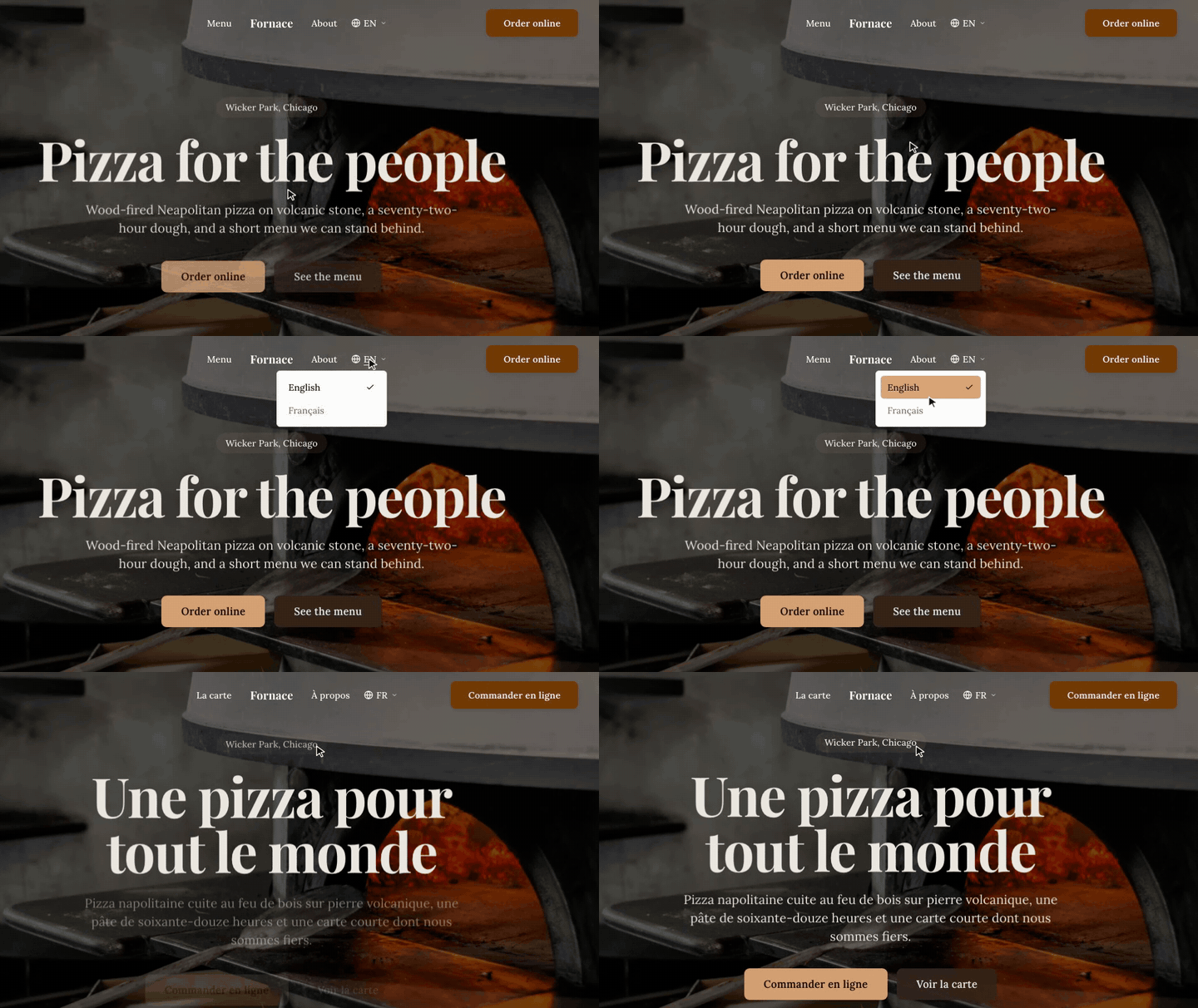
Your main language stays where it is, at your domain: yourbusiness.com. Each added language gets its own folder on the same domain: yourbusiness.com/fr/ for French, yourbusiness.com/es/ for Spanish. Every page has a version in each language.
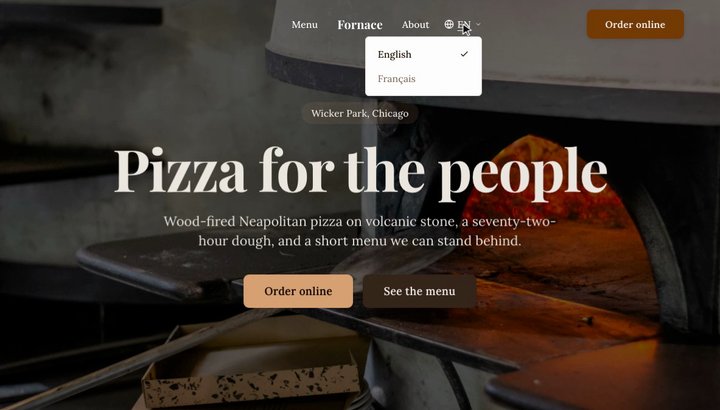
A small globe at the top of every page shows the language of the page and opens a short list of the others, each named in its own language: English, Français, Español. Choosing one goes to the same page in that language, so someone reading your French services page who switches to English lands on your English services page, not back on the home page. On a phone, the languages sit in the menu that opens from the top.
The small words around yours follow each language too: buttons, form labels, the line that confirms a message was sent, dates and times. Those are built in for 29 languages, including Arabic and Hebrew, which read right to left.
What search engines see
Each page tells search engines which language it is in and where its other versions are, and your sitemap lists the pairs. That helps someone searching in French get your French page instead of your English one.
How ChatGPT does it
When you ask for a new language, AgentBuild copies your pages into it, still in your main language. ChatGPT or Claude then writes each page again in the new language, the way it wrote your first ones. It is not a word-for-word machine translation pasted over the top.
Your site will not publish while any copied page is still in the main language, and ChatGPT is told exactly which pages are left, so your French pages don't go live still in English. That hold covers every publish: while a language is unfinished, even a change to your English opening hours waits. Finish the language first, or ask ChatGPT to remove it.
If nobody on your team reads the new language, ask someone who does to look over the preview before you publish. They will spot the phrase no local would say.
What to ask
Start a new conversation with ChatGPT or Claude, then send these one at a time:
"Use AgentBuild to add French to my website."
"Write every page in French, then show me the preview."
"Is anything left to translate?"
"Publish my site."
In ChatGPT you can also type @ and pick AgentBuild before the first message.
If your site isn't on your own domain yet, stop at the preview. The languages go live with the rest of your site when you connect your domain.
Spanish, Korean and Portuguese for Brazil work the same way. Later, when something changes, say it once: "We're closed on Mondays now. Update the English and French pages." When ChatGPT edits a page, it is reminded of that page's other languages.
Common questions
How many languages can one site have? Three: your main language and up to two more.
Does it cost more? No. Languages are part of your one site, at the same $15/month per site.
What gets a version in each language? Your pages, the dishes on your menu, team members, testimonials and FAQs. Your business details are shared by every language. Blog posts, products and listings stay in your main language.
Can each language have its own page names in the address? Yes. ChatGPT can rename a French page to /fr/a-propos, and the old address forwards to the new one.
What if ChatGPT says it can't add a language? Start a new conversation. In Claude, first open Customize, then Connectors, open AgentBuild and choose Refresh tools list.
Free for 30 days, no card required. $15/month per site after. Start your site.
Team AgentBuild